
Read the unlock and production chain
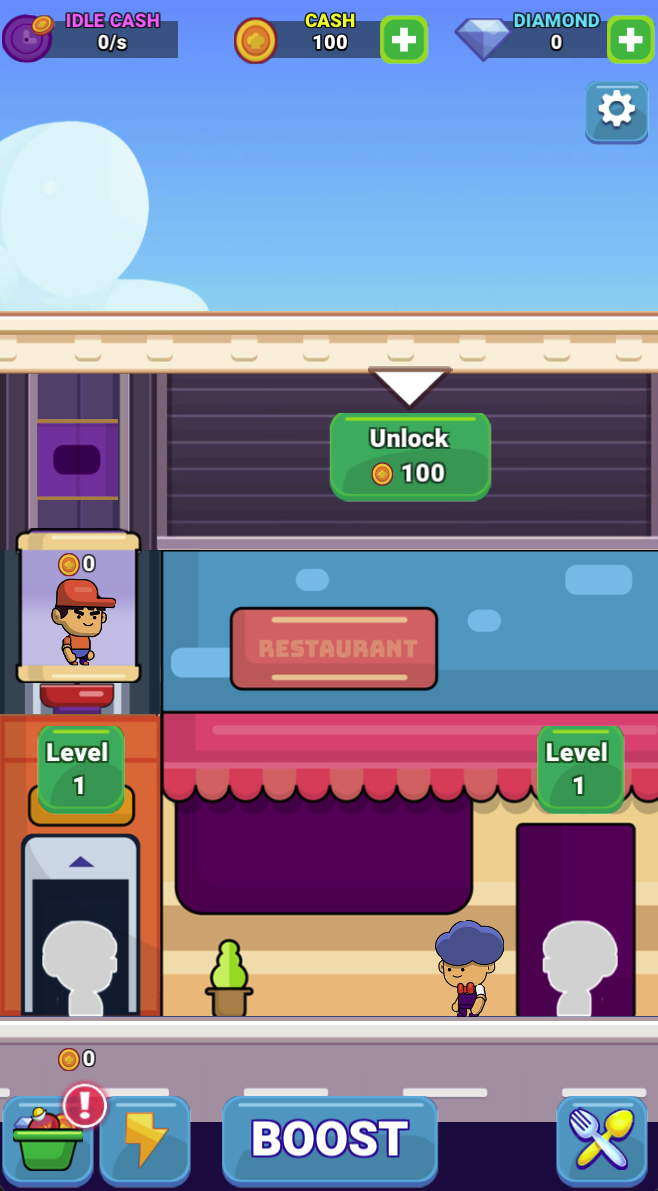
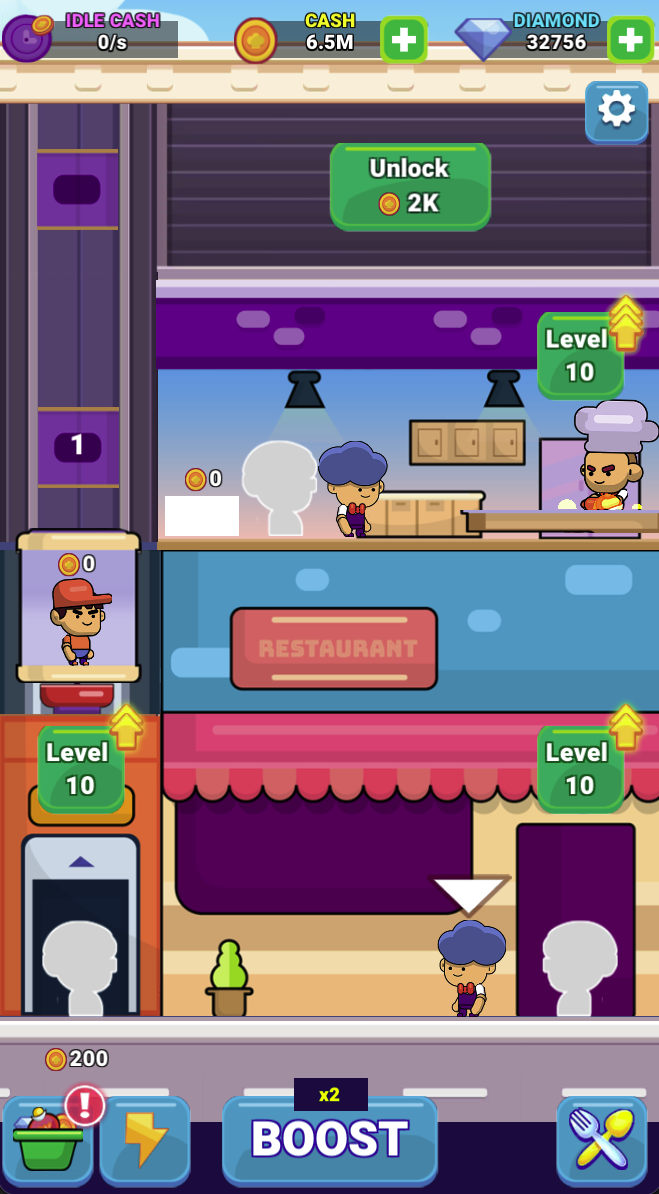
The first screen starts with cash and an Unlock 100 button above the restaurant. A later view shows a kitchen floor, elevator and ground-level service. Treat these as connected stages, rather than assuming an upgrade anywhere increases completed service equally.
Compare capacity with the actual bottleneck
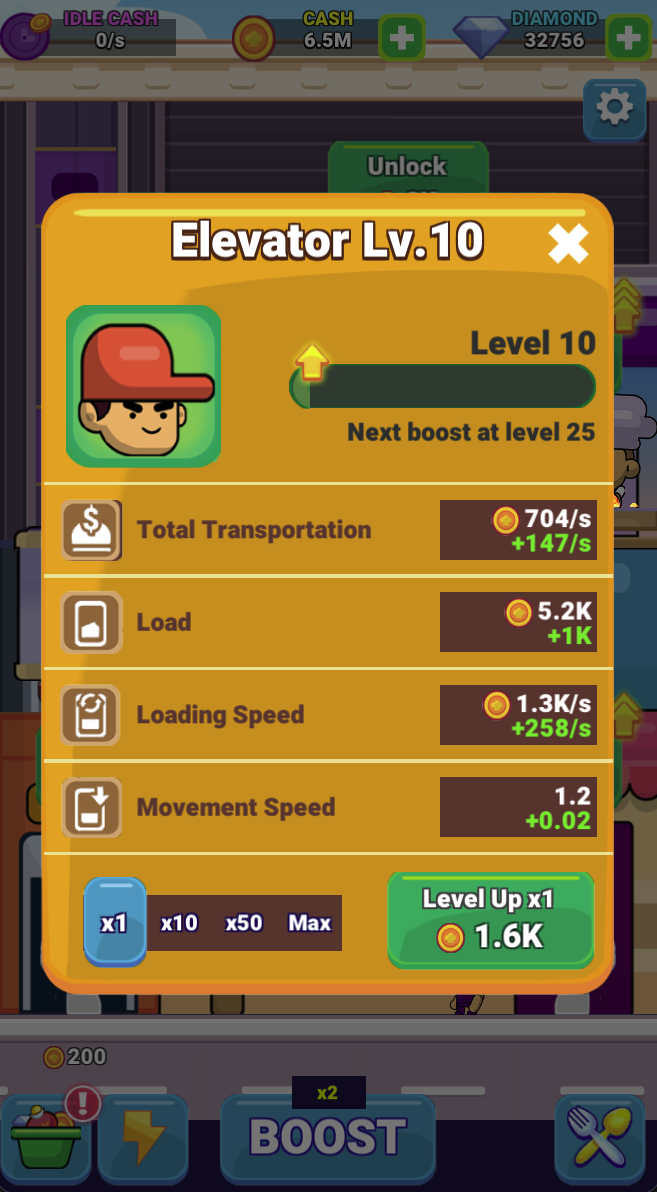
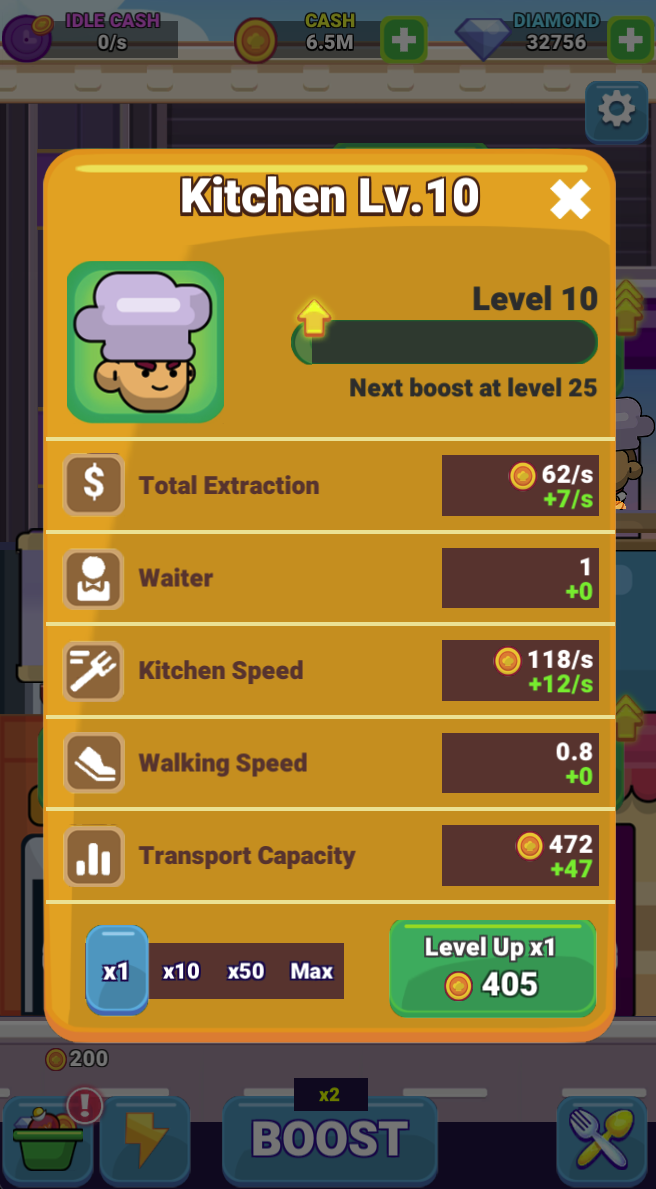
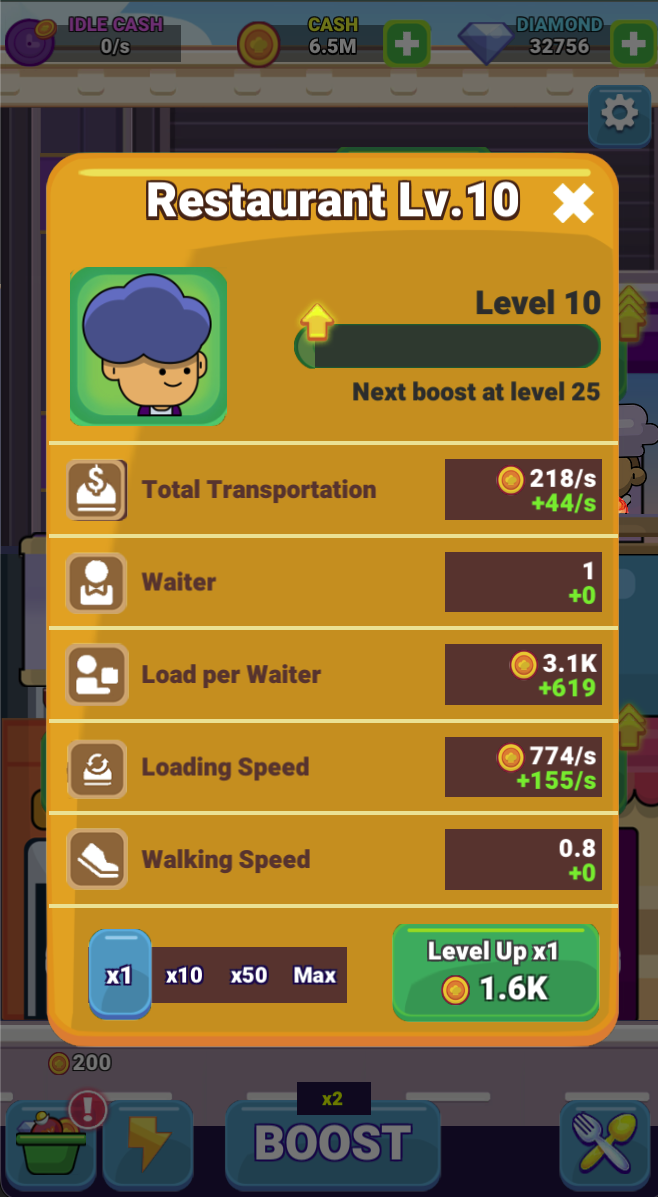
The elevator panel lists transportation, load, loading speed and movement speed. The kitchen and restaurant have separate panels with their own rates and capacities. If goods accumulate at one stage, inspect the next stage before buying more production upstream.
Check the selected upgrade quantity
The panels offer x1, x10, x50 and Max quantities and show a Next boost at level 25 message in the Level 10 examples. Confirm the selected quantity and live cost before upgrading.
Screenshots explained
Loading, progress and support
Select Play above to load the game. If it stalls or inputs do not reach the game, try the direct link and include your device, browser and the point where loading stopped in a problem report.